Interactive website examples
Interactive and immersive sites sorted by what the visitor does (play, hold still, steer, stir), with notes on how each works with a mouse, a finger and a keyboard.
An interactive website is one where what you do changes what happens. Not a hover state or a carousel arrow, but an action with a consequence: you turn a knob and hear the note change, you hold still and something wakes, you move a light and the dark gives up what's in it.
That rules out two things that often share the name. Quizzes and product tours are interactive the way a form is interactive. Scroll animations that play the same way for everyone are motion, not interaction, and animated websites covers those. What's left is sorted below by the verb: play, hold still, steer, stir. For each of our own examples we note how it works with a mouse, with a finger and with a keyboard, because an interaction that only works one way leaves people out.
Our examples
These four are concept sites, made by the Laarpi team with Laarpi's library and process, not produced end to end by SI, Laarpi's website agent. The brands are invented. Load times are cold loads on our phone profile, measured on 6 October 2026: slow 4G, CPU slowed four times, a 390 × 844 screen.
Play: PATCH-01, a module you patch and hear
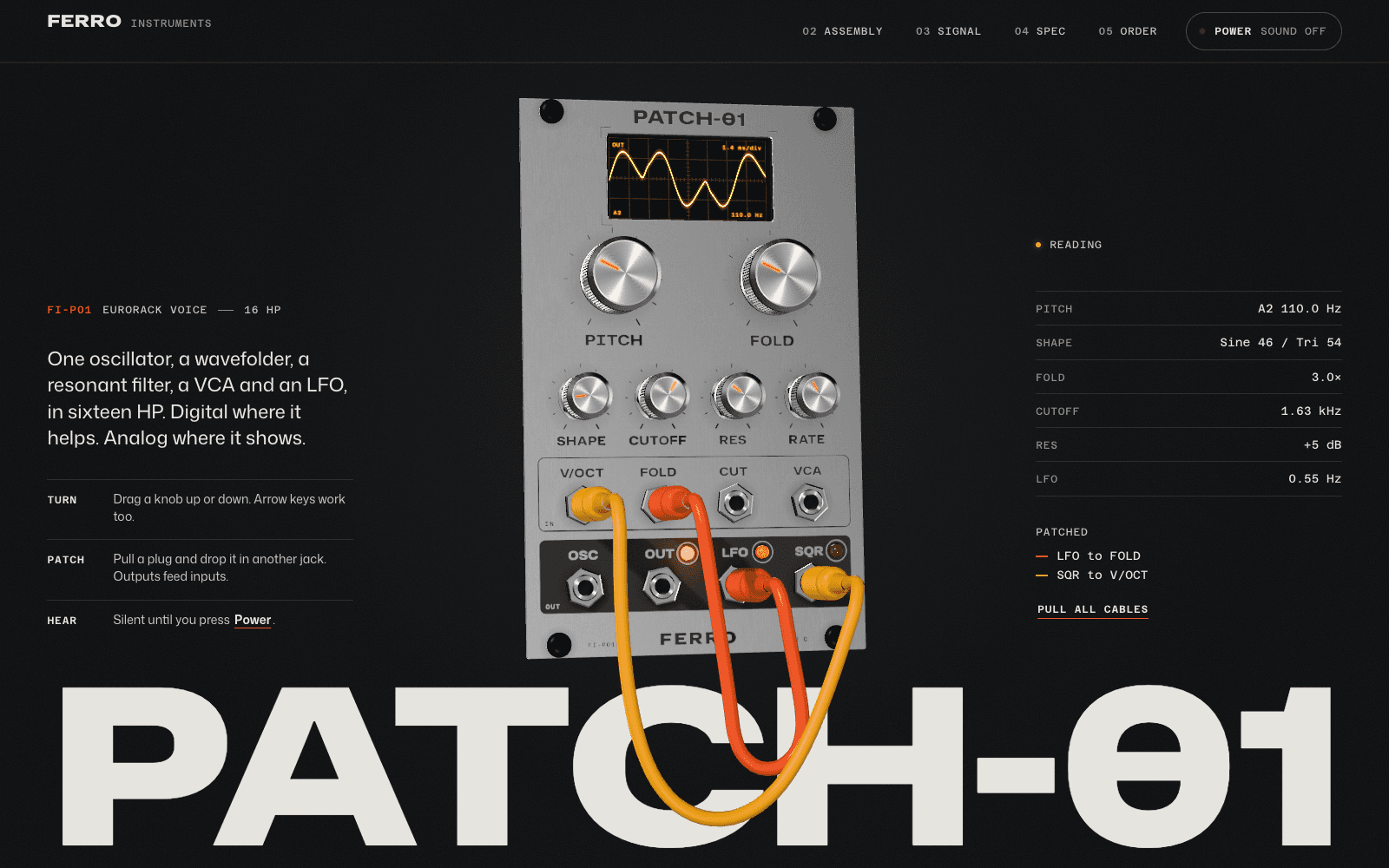
PATCH-01 is a product page for a synthesiser module, and the product is playable. Drag a knob up or down to turn it. Pull a cable from one jack and drop it into another: outputs feed inputs. Press Power and the voice starts, with a live readout of pitch, shape, fold and filter. Later the scope trace lifts off the glass into a three-dimensional figure drawn from your own patch, so changing the patch changes the figure.
- Mouse and touch: vertical drags turn knobs; drag and drop moves cables.
- Keyboard: the knobs are slider controls that take arrow keys and Page Up and Page Down. The jacks are buttons: Enter or Space picks up a cable and plugs it in, and a live region announces each change.
- Why it works: for an instrument, hearing it is the argument. No copy could do that job.
Phone: first full frame in 7.8 s. How it was made.
Hold still: Hortus Nocturne, a flower that opens while you wait
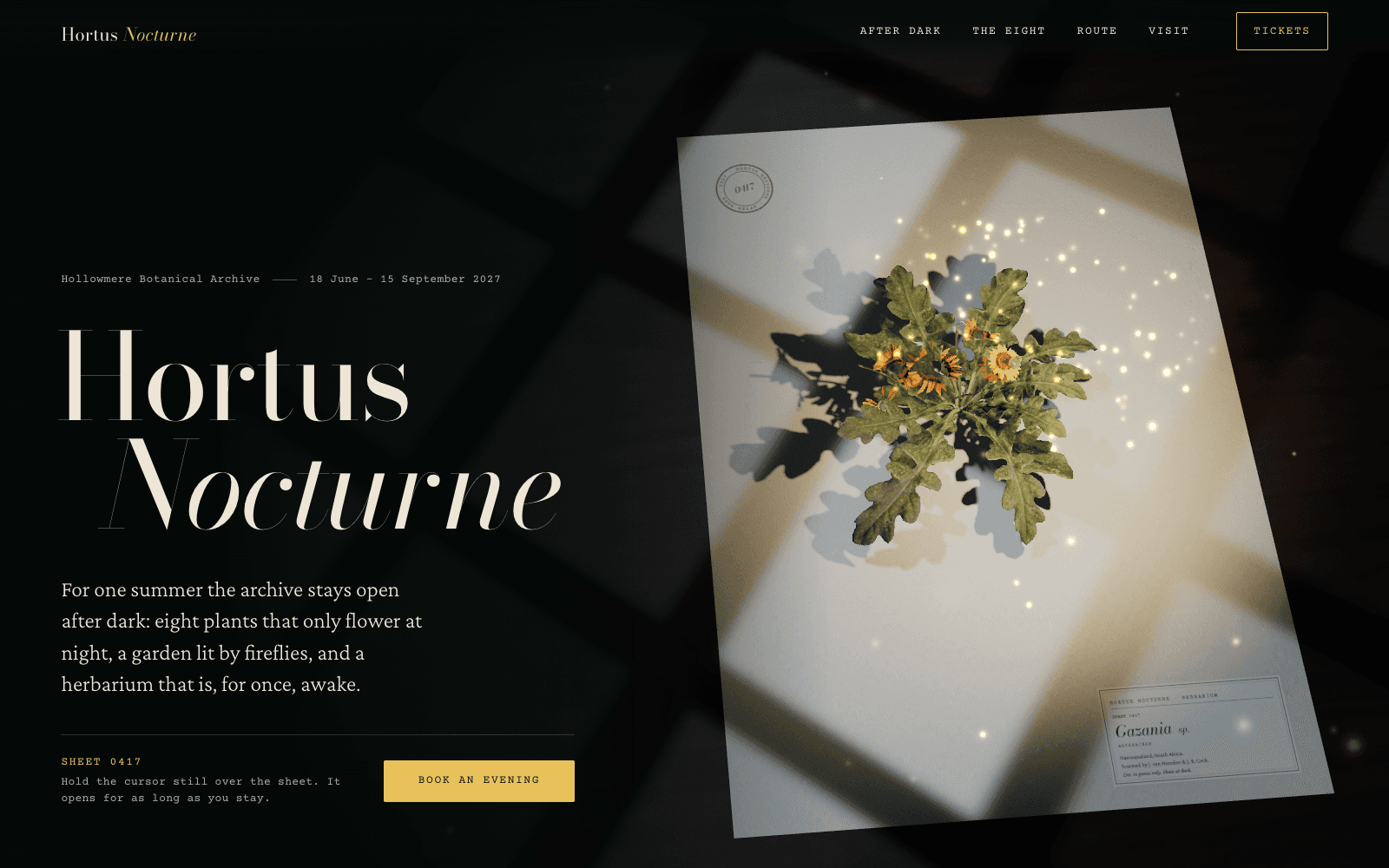
Most interactions reward movement. This one rewards stillness. Hortus Nocturne is a night garden's site, and its hero is a pressed gazania on a herbarium sheet. Hold the cursor still over it and fireflies gather where you wait. Their warm light lifts the plant part by part, and colour returns only where their light falls. Move away and it presses itself flat again.
- Touch: touch and hold.
- Keyboard: waking the specimen is decorative, so everything it shows is also in the copy. The species ledger below is a set of buttons, and focusing a row draws that flower in line, the same as pointing or tapping.
- Why it works: a garden that opens at night asks for patience, and so does the page.
Phone: 13.1 s; the specimen is a real scan of about 1.1 MB. How it was made.
Steer: HADAL, where your cursor is the lamp
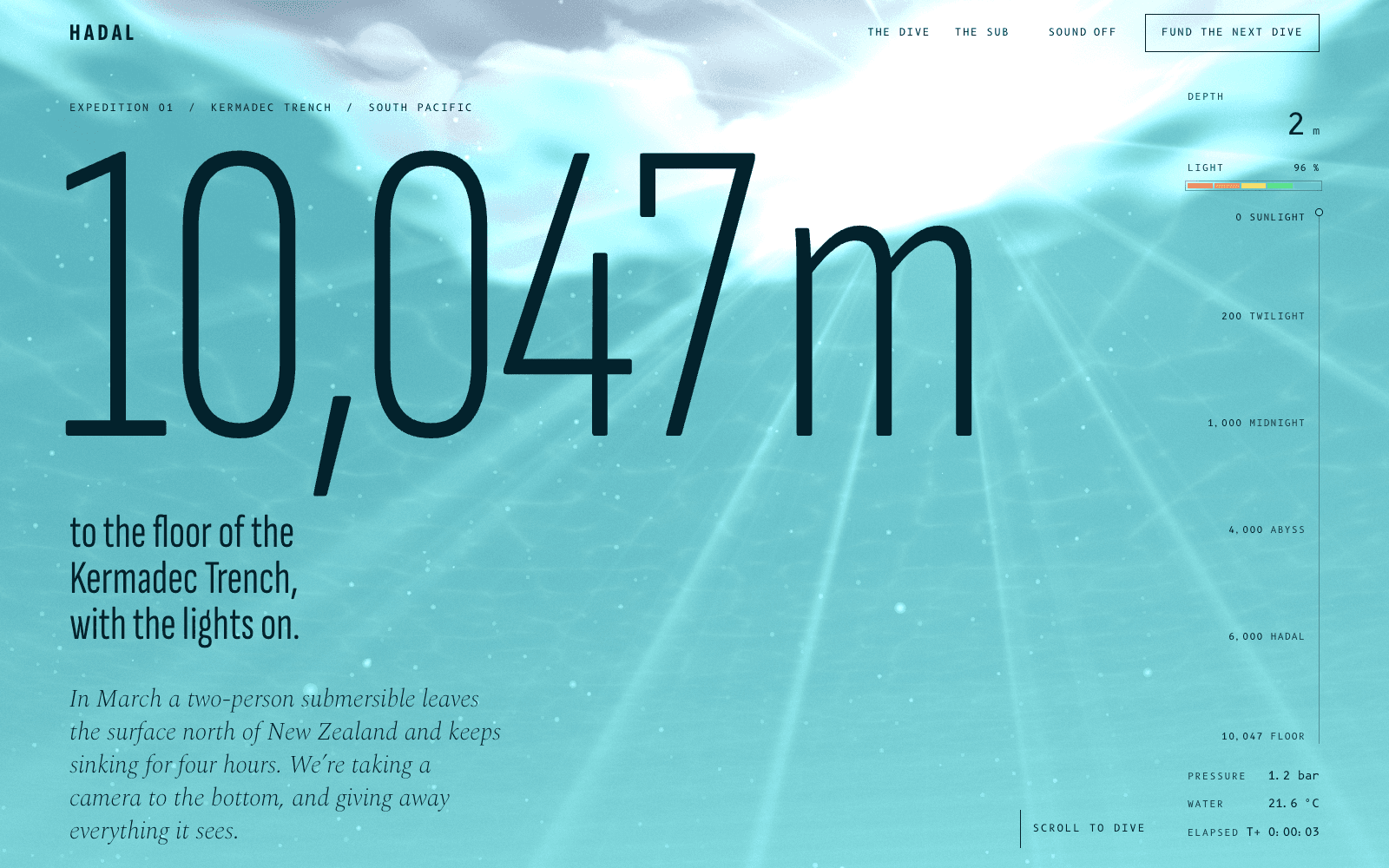
HADAL sinks you through the ocean as you scroll. At 1,000 metres the page goes black, the words "Lights out." appear, and from then on a lamp follows your cursor. Animals appear only where the beam falls. Hold it on the Atolla jellyfish and it fires its spinning blue alarm; look too closely at the anglerfish and its lure goes out.
- Touch: the lamp follows your finger.
- Keyboard: the lamp has no keyboard equivalent, so every fact the animals illustrate is written in the page copy, and the donation buttons, the sound toggle and "Drop ballast" are ordinary buttons.
- Why it works: the interaction is the subject. In the deep sea you only see what you light.
Phone: first full frame in 3.8 s. How it was made.
Stir: FLUOR 26, ink you can move
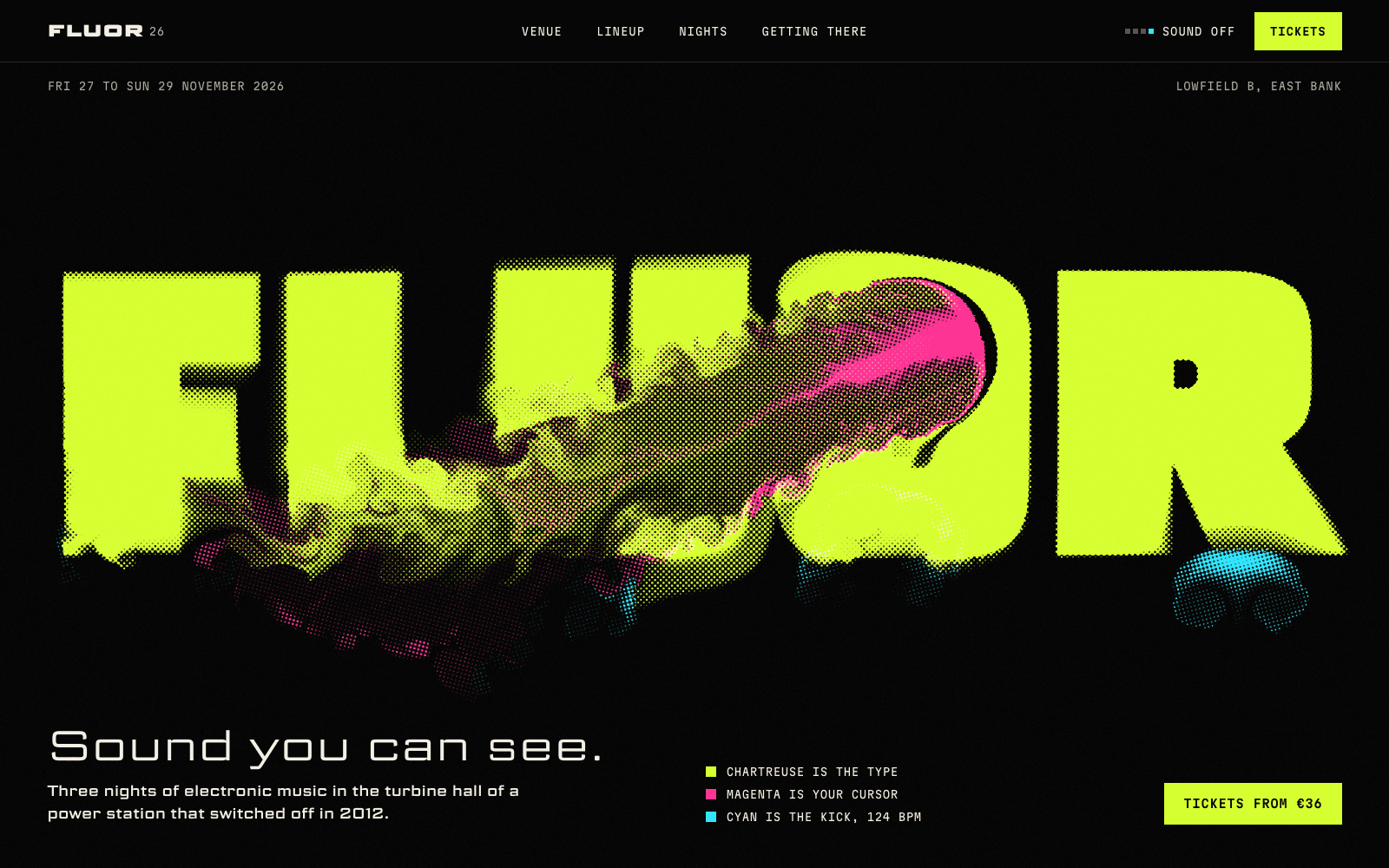
FLUOR 26 is a festival site printed in fluorescent ink. The wordmark fills the screen in chartreuse, and on arrival a ghost hand drags through it once. Then it's yours: drag through the letters and they smear in magenta, then re-form where the liquid calms. In the lineup, each act's name is set at a width that matches its tempo, and pointing at a name melts it into the ink while the beat switches to that act's tempo.
- Touch: drag to stir; tap a name to melt it.
- Keyboard: stirring is decorative. Every name, tempo, night and room is plain text, and navigation, the sound toggle and every ticket are ordinary buttons.
- Why it works: a festival about sound and light gets a surface that responds like one.
Phone: first full frame in 4.6 s. How it was made.
Public examples, by what you do
Each links to the live site, credited to its makers. The notes are ours; we host no screenshots of other people's work.
Play
Patatap by Jono Brandel with Lullatone. Press any letter key and you hear a sound and see a shape animate across the screen; the spacebar switches to a new palette of colours, sounds and shapes. Released in 2014 and still a perfect lesson in instant feedback: there is nothing to learn before the first good moment.
Chrome Music Lab by Google Creative Lab. A set of small browser experiments for making and understanding music. Each one is built around a single interaction, so it can be understood in the time it takes to try it.
Steer
Folio 2025 by Bruno Simon. A portfolio you explore by driving a small car through a 3D world, with keyboard, mouse, touch and gamepad controls. Steering turns browsing into play, and the open-source code (MIT) is a rare chance to see how it's done.
Messenger by Vicente Lucendo and Michael Sungaila, published by Abeto. Walk a tiny planet delivering mail, and wave at the other players you meet. It runs in a browser tab on phones and computers.
Stir
Silk by Yuri Vishnevsky, with sound by Mat Jarvis. Drag across the screen and strands of light are woven and mirrored with symmetry you can adjust. Anyone can make something beautiful in the first stroke, which is the whole point.
WebGL Fluid Simulation by Pavel Dobryakov. A fluid you push around with the cursor or a finger, running on the graphics card and made to work in mobile browsers. A clear reference for how responsive a stirred surface can feel.
Hold still
The Quiet Place Project by Amitay Tweeto. Begun in 2011, it asks for thirty seconds of nothing: no notifications, just a quiet screen and a countdown. Its companion, the thoughts room, lets what you type drift away. Proof that an interaction can be a pause.
Reveal
The Deep Sea by Neal Agarwal. One long page that starts at the surface and goes down past 10,000 metres as you scroll, with a depth counter and the animals that live at each level. It's built without 3D, and it shows how much a single honest mechanic, scroll as depth, can carry.
The Boat by SBS, adapted by Matt Huynh from a story by Nam Le. An interactive graphic novel about escape after the Vietnam War, where scrolling moves you through its drawings and text. A reference for interaction in service of a serious story.
Patterns that make interaction work
- One interaction per idea. PATCH-01 is played, HADAL is lit, FLUOR 26 is stirred. Each site has one main verb, and it comes from the subject.
- Discoverable in seconds. Show it once, as FLUOR 26's ghost hand does, or make the first accidental move rewarding, as Hortus Nocturne's fireflies do when the cursor happens to rest.
- A path that doesn't need a pointer. If the interaction carries information, give it keyboard controls. If it's decorative, repeat what it reveals in the copy.
- Touch designed, not emulated. There's no hover on a phone. Decide what the finger does: hold, drag or tap.
- Sound only when asked. Every one of our sites with sound starts silent behind a Sound or Power button.
- A reduced-motion version. Composed stills that keep the story. Accessible motion shows how we design them.
Sites built around real-time 3D are collected in 3D website examples, with load times for all eight of ours.